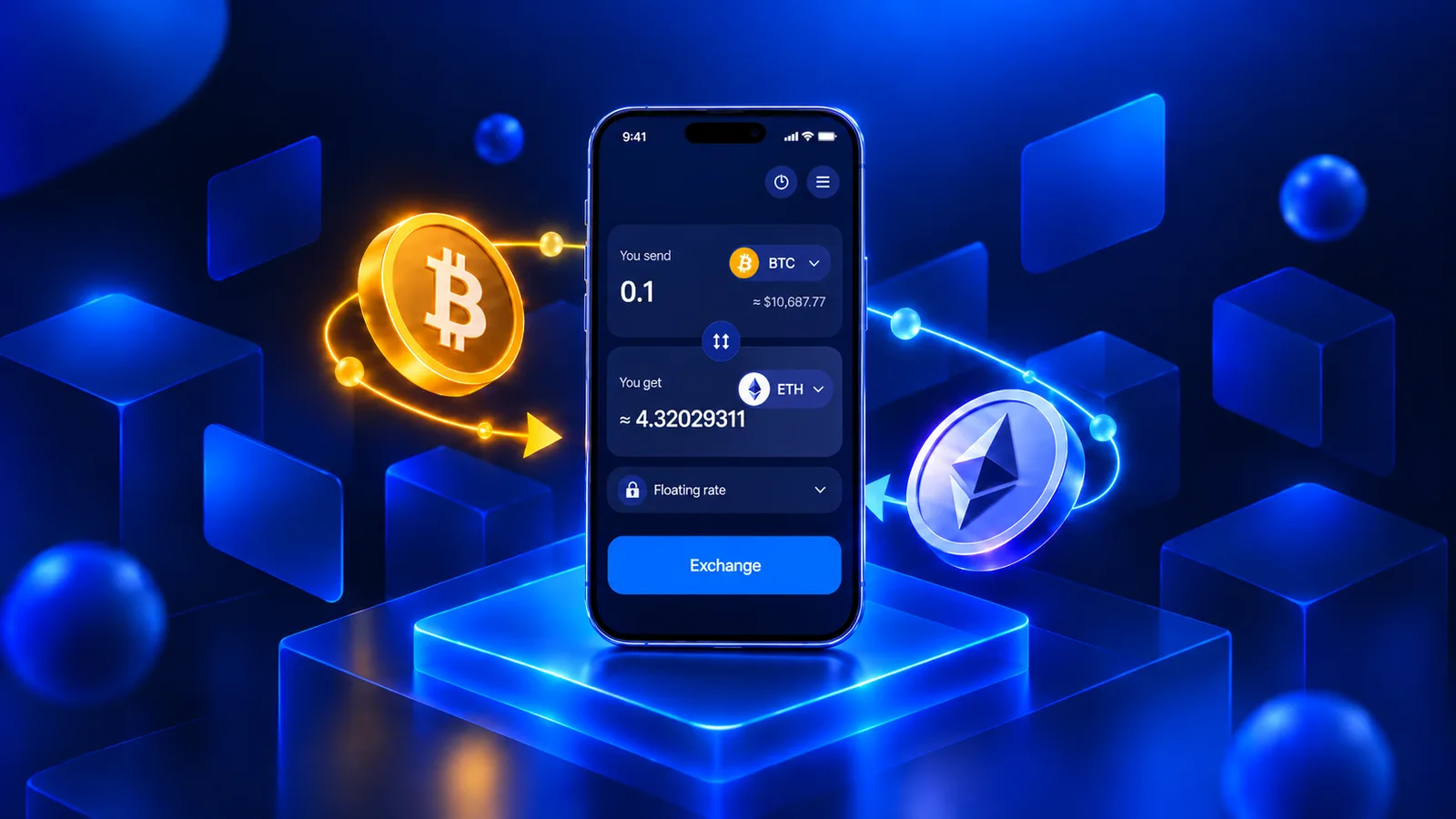
SimpleSwap is a self-custodial crypto swap service that allows users to exchange crypto across different blockchain networks without creating an account. With access to over 2,800 cryptocurrencies and multiple CEX and DEX exchange routes.
The SimpleSwap mobile app makes it easy to exchange crypto on the go. In this guide, we'll walk you through the process in five simple steps.
How to Exchange Crypto on the SimpleSwap Mobile App
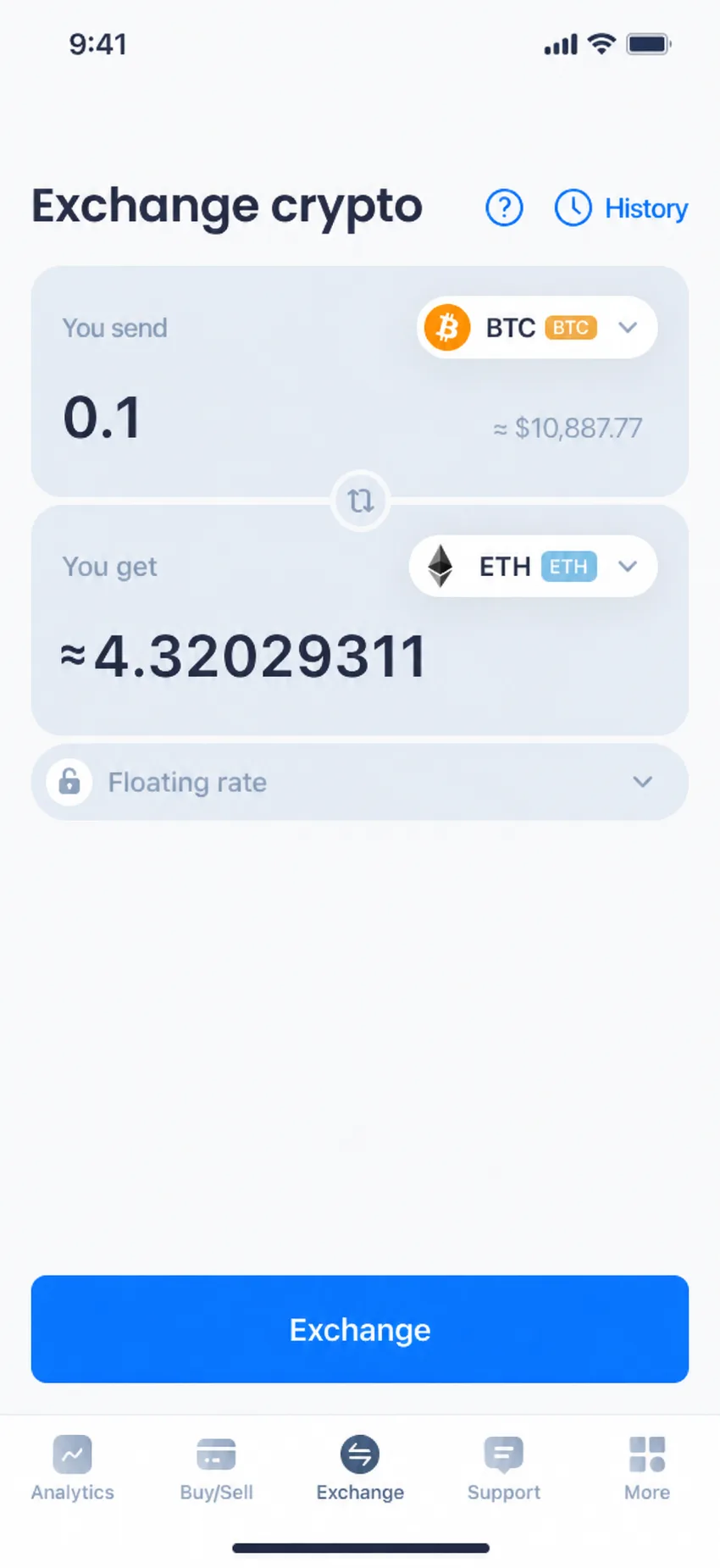
- Go to the SimpleSwap mobile app and select currencies to exchange within your preferred networks
For instance, we're exchanging BTC for ETH on the Ethereum network. Make sure to select the correct blockchain networks for both cryptocurrencies. Enter the amount you want to swap, check the estimated receiving amount and exchange rate, and proceed by clicking Exchange.
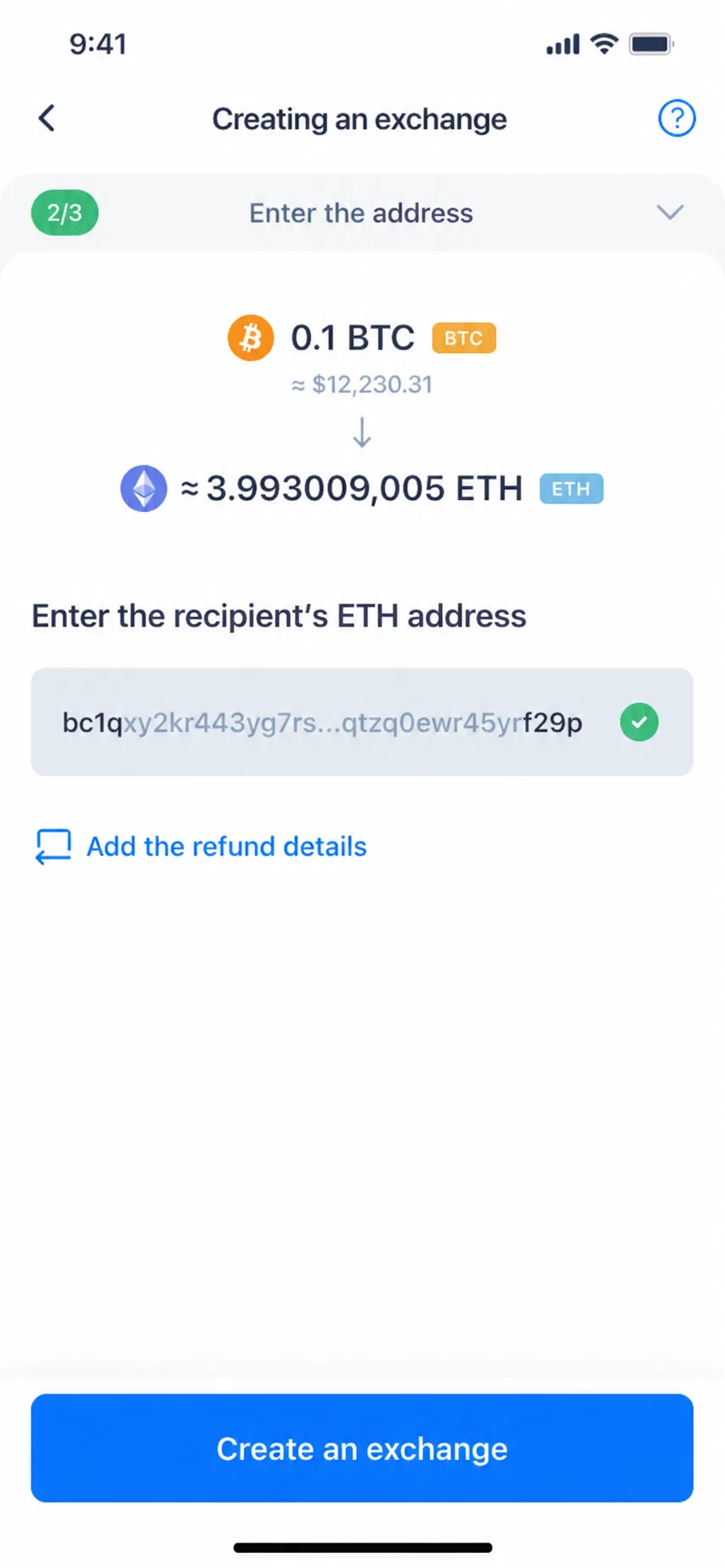
- Enter the wallet address and click on Create an exchange
Make sure to enter the correct recipient's wallet address for the selected cryptocurrency and network (in this case, ETH on Ethereum). Double-check the address before proceeding.
You can also add refund details to specify where your funds should be returned if a refund is required.
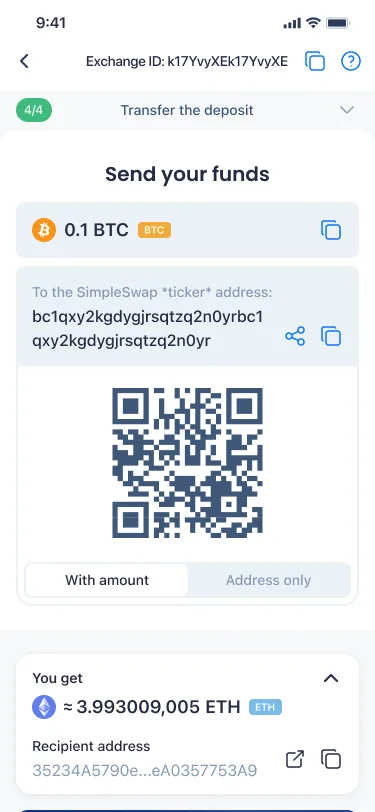
- Send crypto to the Deposit address
At the deposit stage, copy the provided deposit address or scan the QR code, then send the specified amount from your crypto wallet. Make sure you're using the correct blockchain network.
-
Deposit Verification → Exchanging → Sending: Wait for it.
After your deposit is detected, the transaction needs to receive the required number of blockchain confirmations before the exchange can proceed.
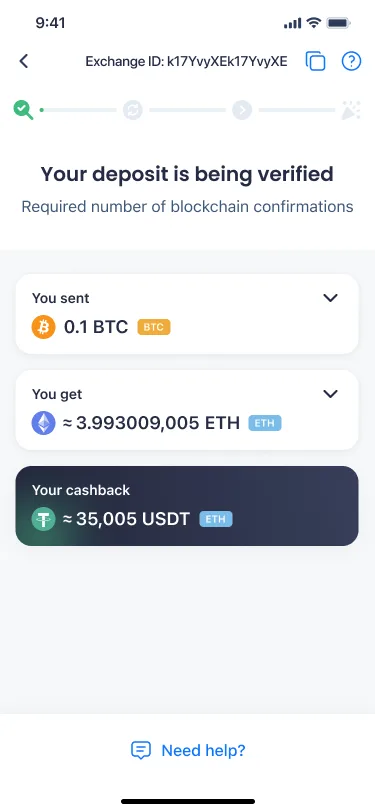
Once the deposit is confirmed, the exchange moves to the Exchanging stage.
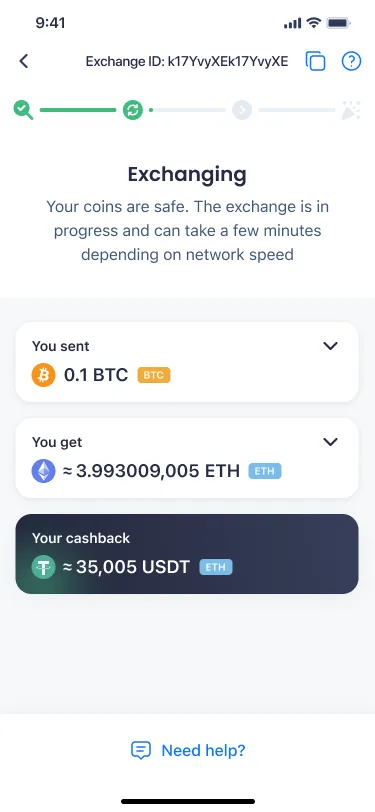
When the exchange is processed, the status changes to Sending, meaning your crypto is on its way to the recipient's wallet.
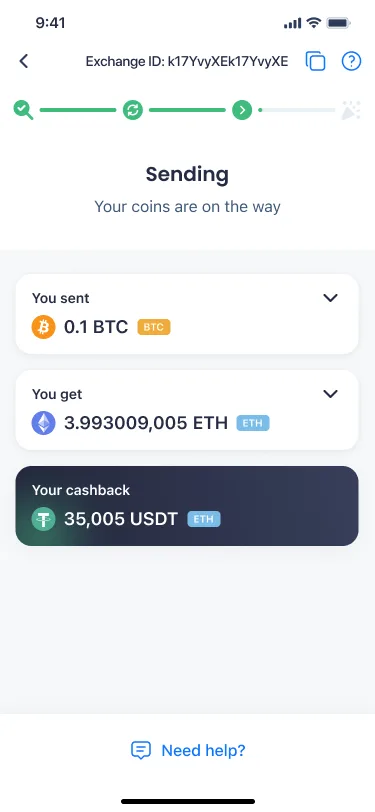
Please be aware that the exchange process may take several minutes or a bit longer, depending on the cryptocurrencies involved, blockchain confirmations, and network activity.
- Voila! Receive crypto to your wallet
Once the exchange status changes to Finished, check your crypto wallet for the incoming transaction. If necessary, you can immediately initiate a new exchange by clicking Create a new exchange.
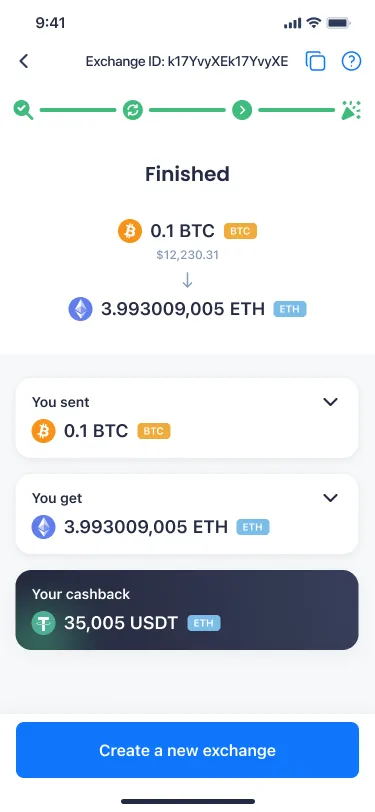
In case of any issues, feel free to contact the SimpleSwap support team by clicking Need help? at the bottom of the screen. You can reach out to us at any stage during your exchange process.
Disclaimer: The screenshots in this article are provided for demonstration purposes only and do not reflect real exchange amounts, rates, or other actual transaction data.